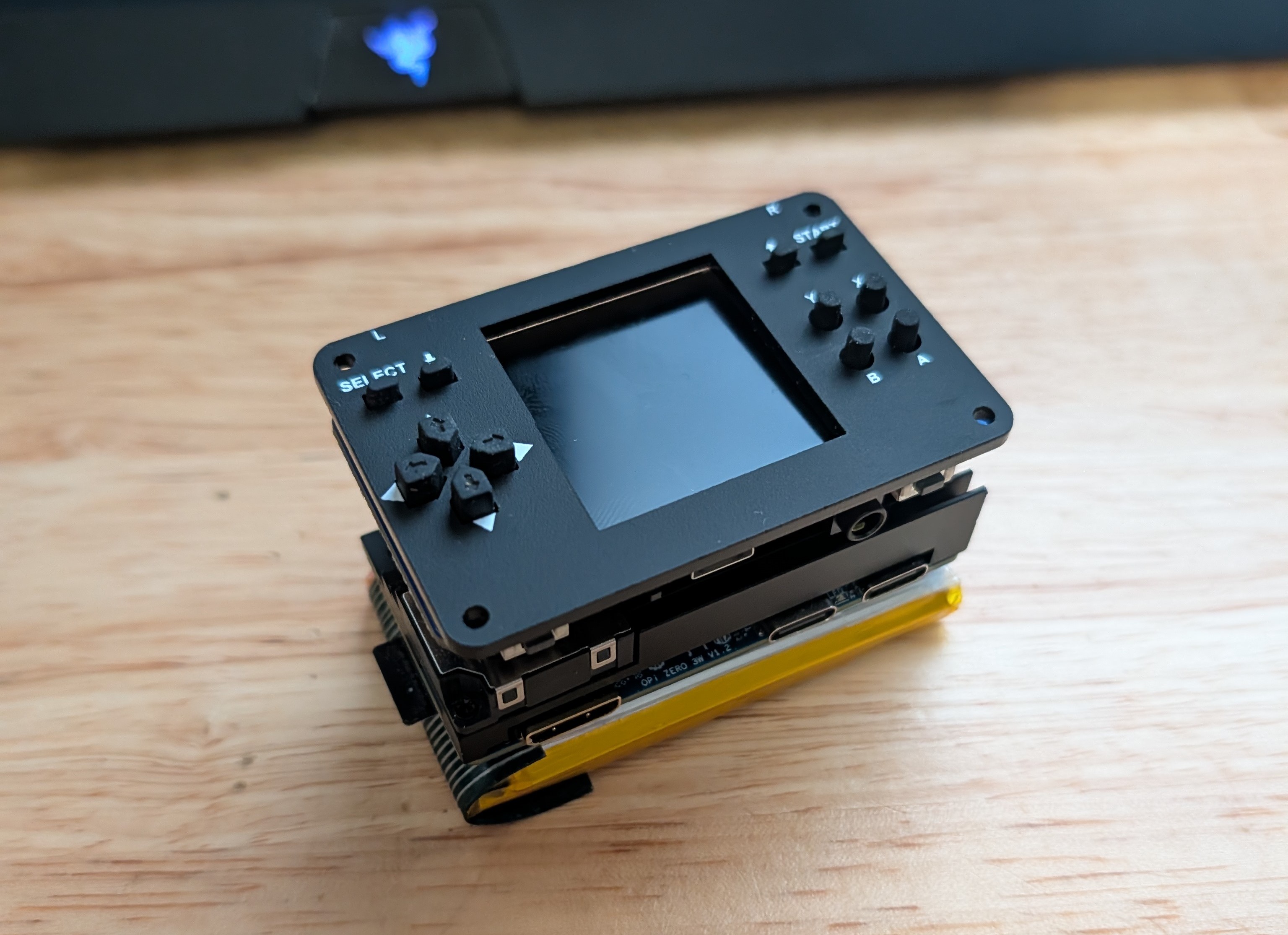
The micro cyberdeck is a full arm64 computer in the palm of your hand. With similar specs to a steamdeck, but significantly more local-AI capability.
IMPORTANT: this is a brand new board and support is limited. Parts of it are not going to easily work out of the box. It’s going to take some work, and some reading, and some terminal use, and probably some vibe coding, but people are already gaming on these. I’ve got mine up and running to the point that it is working independently with local AI to figure out how to get the rest of the things working that aren’t already working. I am very optimistic about this build and very excited about the specs and the potential, but it’s not going to be the easiest thing you’ve ever done.
Why
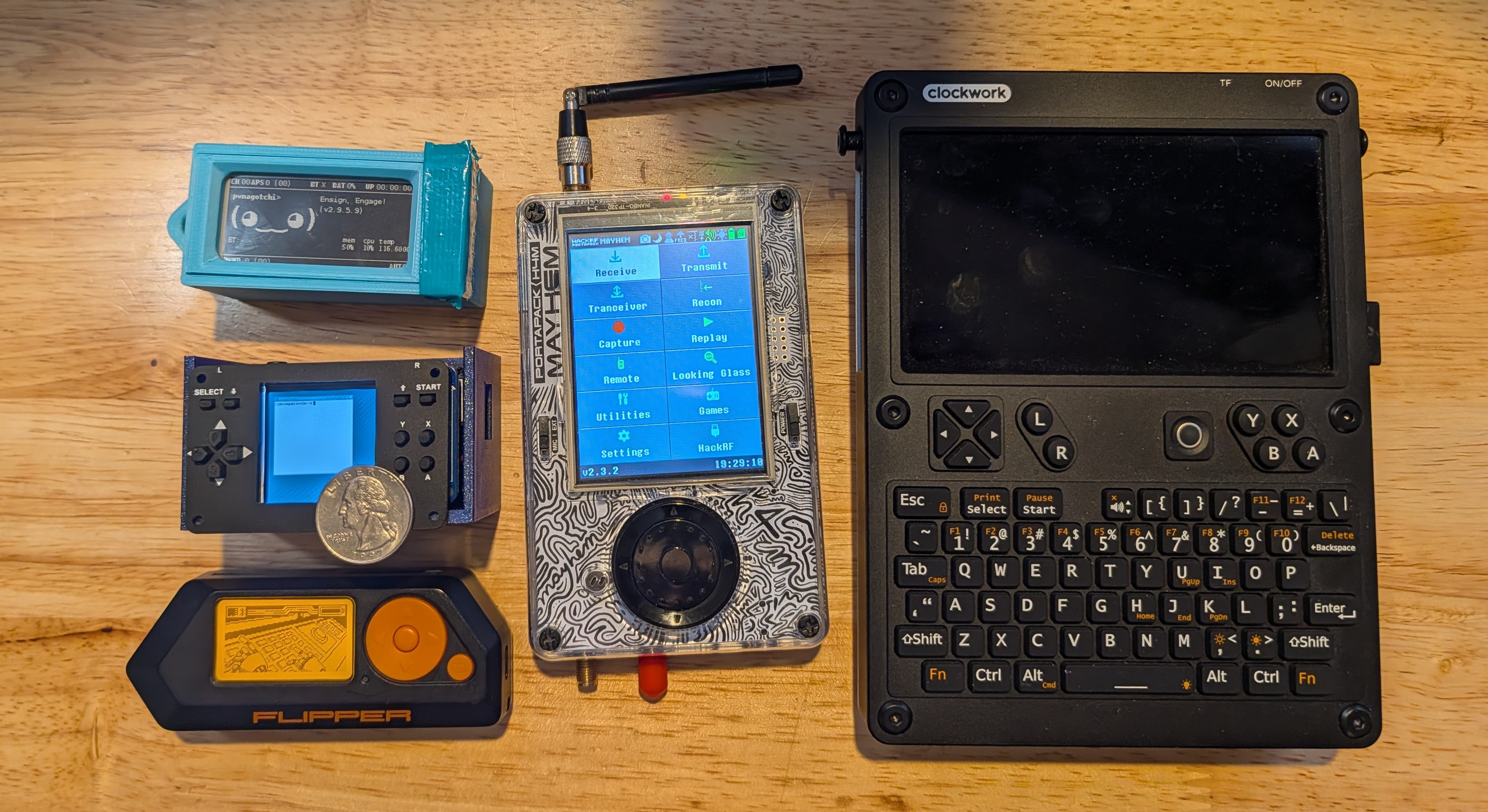
For me, having a tiny, powerful, AI-capable device as part of my travel kit is going to be immensely helpful. This will be a huge improvement over the uConsole which is enormous and comparatively far less powerful.
I know what you’re thinking, and yes all of these devices talk to each other! Having the AI on the micro-cyberdeck be able to integrate with the other tools and operate them is a big part of the motivation for this project.
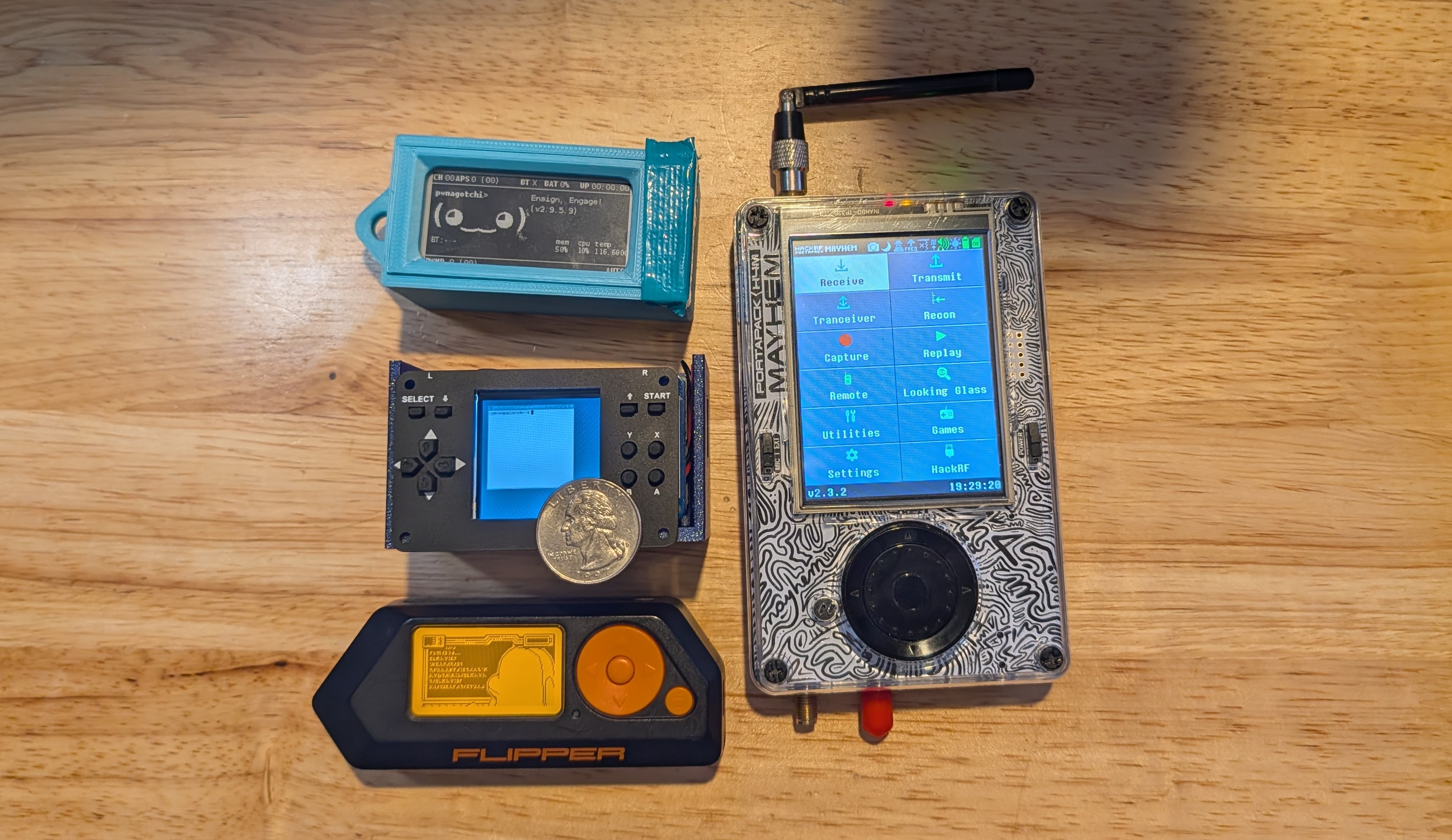
You can see in the second photo what a difference this makes, not just because it’s much smaller and easier to pack but also because the micro-cyberdeck is far more powerful than the uConsole.
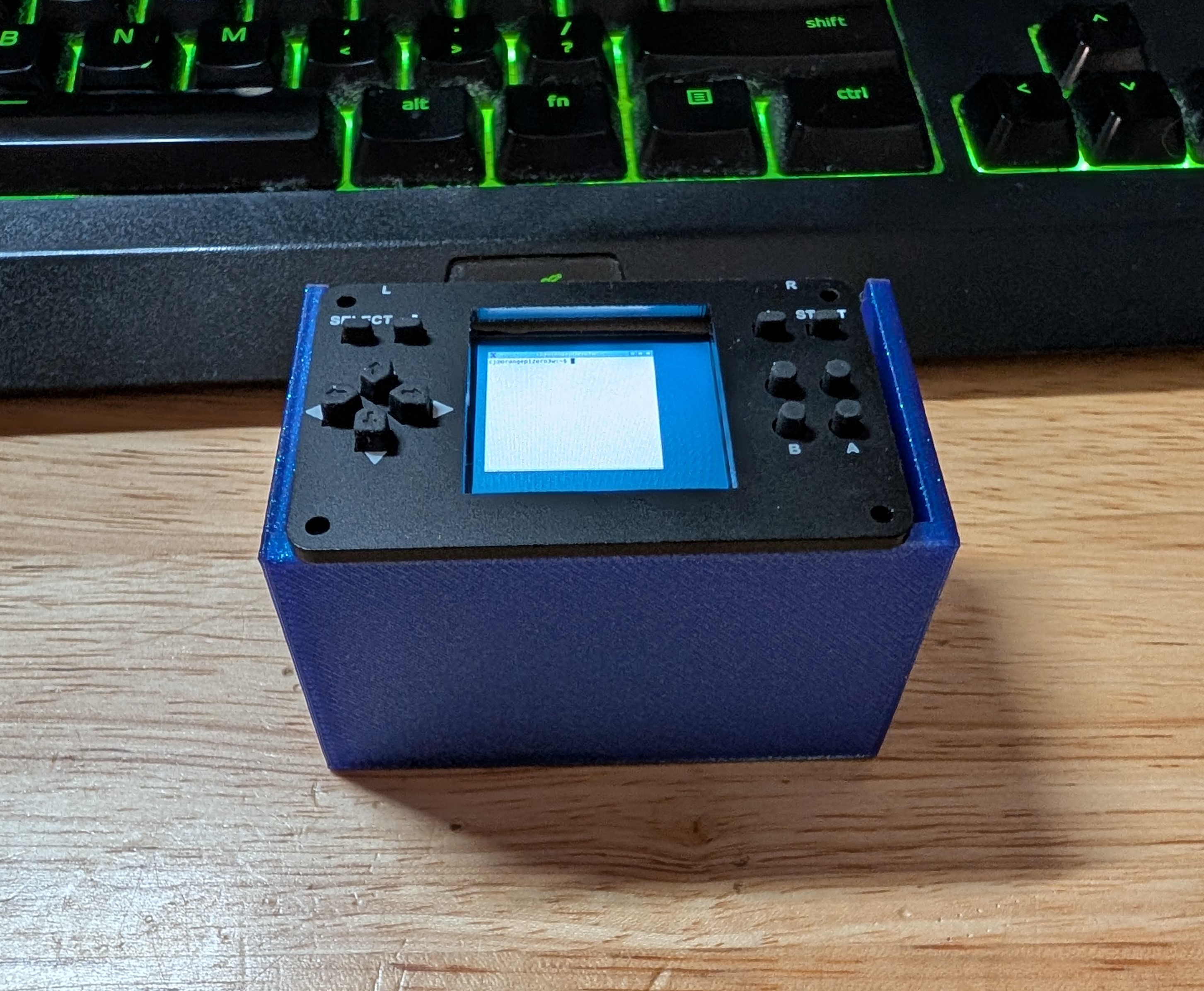
This is an early draft case design with the screen showing a bash terminal window, and the keypads on both sides of the screen. All my case designs are available for free in the link at the bottom.
The Capabilities
This is a full arm64 computer. It should technically support most Steam games through Proton, though not all of this is realistically going to work perfectly out of the box because a lot of it is still being implemented in the drivers and software. Running Cyberpunk 2077 is my stretch goal.
- Full arm64 CPU has eight cores
- A separate RISC-V coprocessor
- A GPU
- An NPU (3 TOPS @ INT8)
- Up to 16gb of LPDDR5 RAM (Only up to 12gb is actually available at this point)
- A 1.54” x 1.54” 240x240 screen (but we’re up-scaling that to a more normal resolution)
- A speaker
- A headphone jack
- Abunch of buttons
- A battery that should theoretically last about 13.9 hours doing normal tasks
- Two REAL USB-C ports that can do display-port-alt-mode, docking stations with a normal monitor, keyboard, and mouse, etc.
- It even supports a full desktop GPU connection through the PCI-E-3 port
All in the form factor of a Raspberry Pi Zero 😂
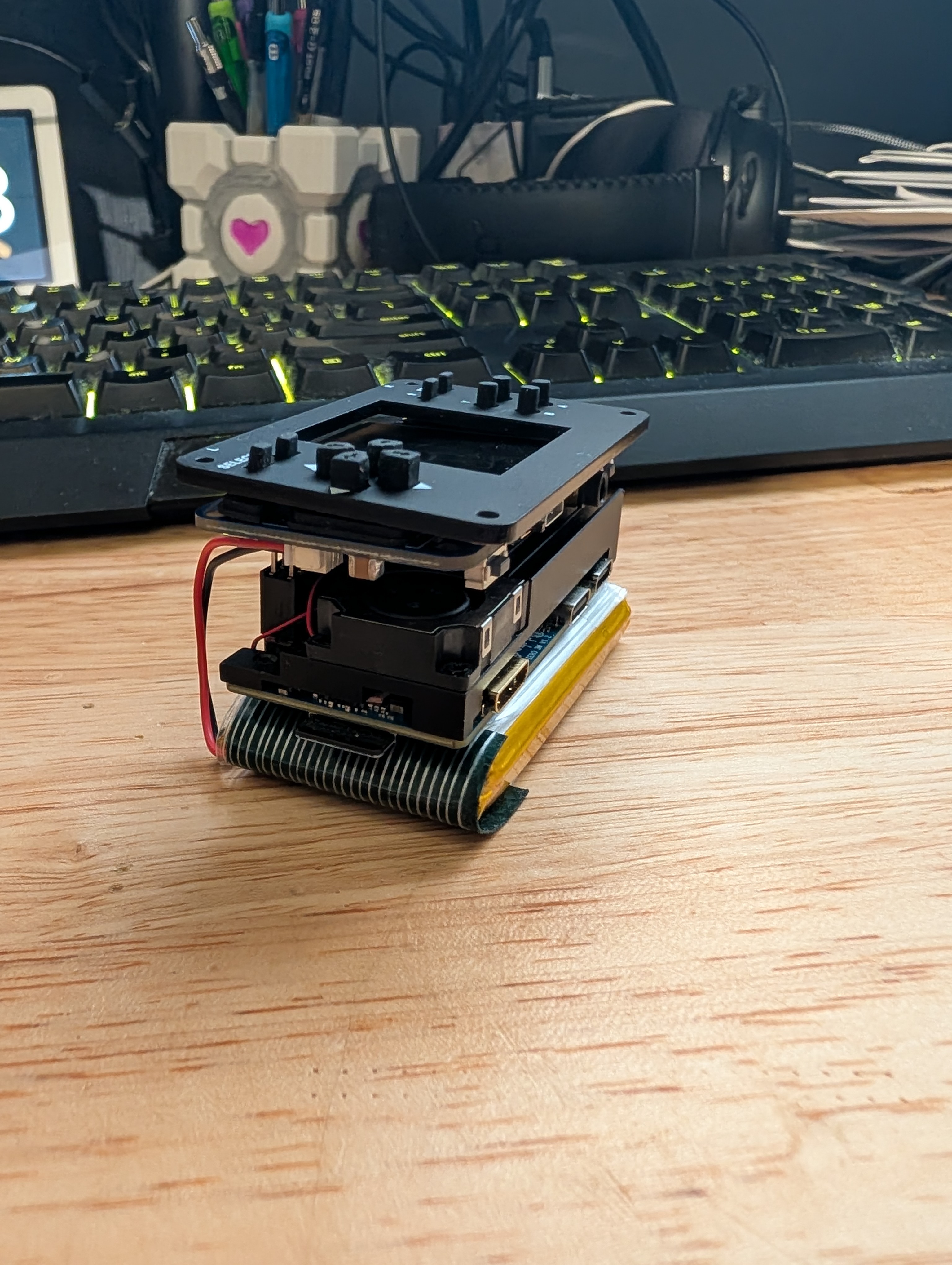
Parts List
- New Pi
New Pi SBC (Zero form-factor):
- Up to 16gb DDR5 (You choose the amount you want)
- Onboard GPU
- NPU (3 TOPS @ INT8)
- PCI-E-3.0
- The Hat There are a lot of similar hats but this is the only one I have been able to find in the form factor of the Pi Zero which has a 240x240 screen, a lot of buttons, a speaker, a headphone jack, and a charge controller and battery connection. Also, it powers the pi from the top which is the only way with this pi.
- The Battery
Theoretically, this battery should last about 13.9 hours doing normal tasks. Your mileage may vary depending on what you are doing with the device. Playing cyberpunk or doing AI is going to cut that down significantly.
- (11.1 wh battery / 0.8 wh rated standby consumption = 13.9 hrs battery life)
- My favorite SD Card I’ve stress tested a lot of SD cards and this one is the best I’ve found.
- I recommend running Armbian instead of the sketchy OEM image. This is a brand new board so support is still a work in progress. Don’t expect everything to be perfect yet, or ever. But my experience has been good so far.
Recursive Self-Improvement Out Of The Box
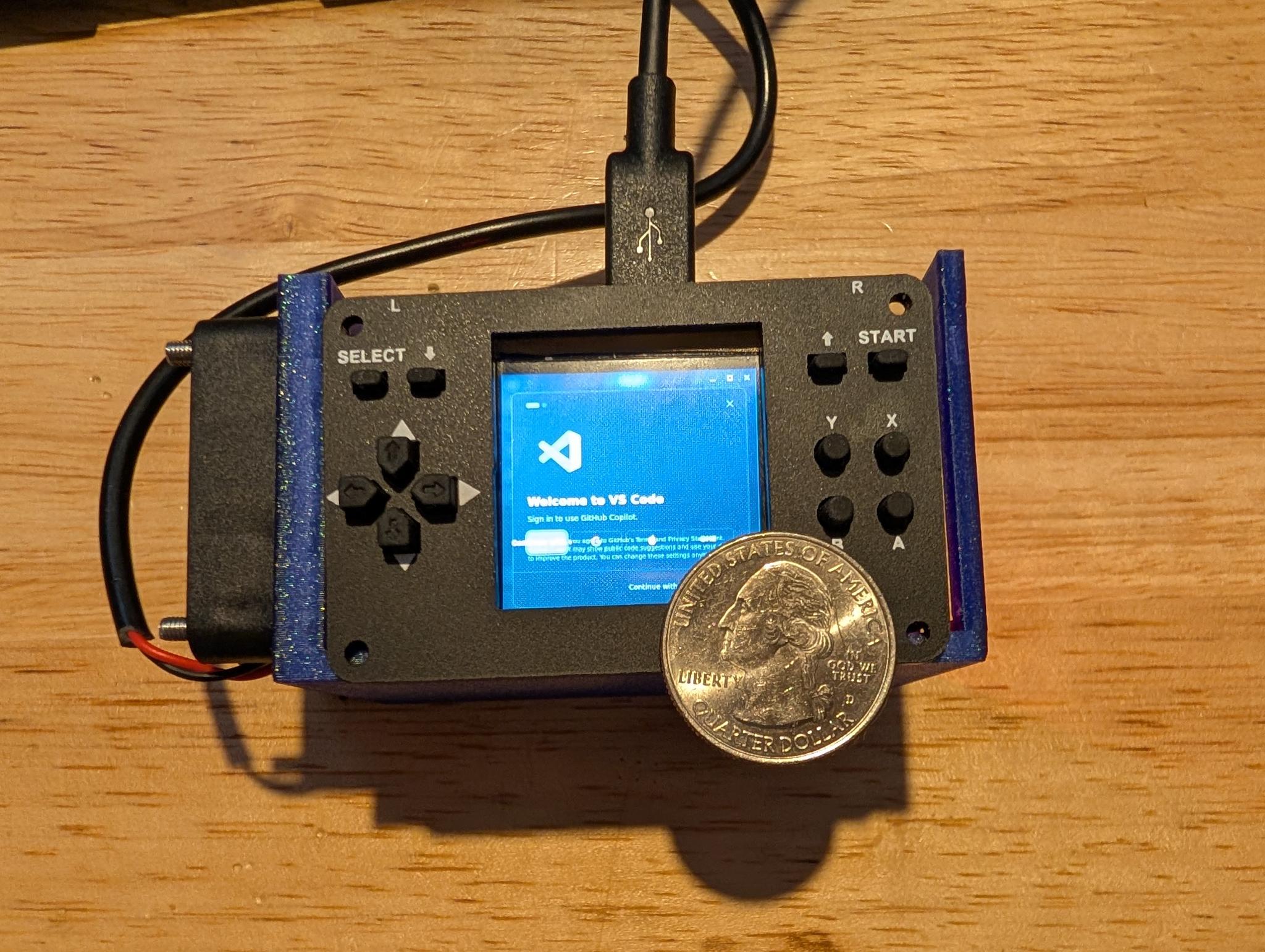
Because it’s now so easy to run models locally, and because this device has a powerful NPU built in, it can take over the work on itself essentially as soon as you flash Armbian and install something like ollama plus your preferred agentic harness and wire them together. I connected via SSH and gave it the link to the list of drivers and configuration details and it took the wheel from there and got the screen working in no time.
I started out by installing a desktop environment which was a little complicated, and then installing vs code so I could have it work on itself in the public repo so you can see what it’s doing. Also because I want to figure out how to get the development environment to use higher resolutions than the screen natively supports on VNC or USB while still having it be somewhat legible on the screen.
My plan is to use my ebe pipeline to build an interactive game-engine style interface that plays nice with the buttons and AI tools.
Here you can see she has vs code open and she is working on herself. Hopefully she will be able to figure out these unresolved issues without much help from me. 💅
Known Unresolved Issues
- I am still working on getting the built-in speaker and keypads working
- Testing case designs with better thermal management because the little fan struggles to keep up by itself and I want to keep the battery insulated from the SBC’s heat
- Testing manufacturer’s recommended ROMs
- Getting steam/proton working
- Building voice-interactive local agent software
- Integrating with peripherals like Flipper Zero and pwnagotchi
- It seems like there is a way to get the SBC to be aware of the battery’s charge status but I haven’t figured that out yet
Future Opportunities
All of these things are currently possible by simply plugging external devices into the ports, but I’d like to fit these capabilites into the micro form-factor.
PCI-3 Expansion
I think the biggest long-term opportunity is to take advantage of the PCI-3 port by adding some kind of more powerful SSD or AI Accelerator (Like the LLM8850 which is out of stock everywhere).
The big problem with both of these options is that there isn’t any nvme hat that fits this board at this point.
Peripheral Ports
There are some hats for Pi Zero that give you a few usb ports and an ethernet port, but they all need a micro usb connection to the pi which is not possible with this pi. It seems unlikely that this will ever be resolved since this is a small batch SBC, but it would be cool to see that someday.
Software-Defined Radio
It would be awesome to find something like a CaribouLite in the zero form factor, but these are also no longer available.
Meshtastic
I haven’t been able to find a meshtastic hat for the zero form factor, but it would be cool to add one someday.
More Resources
- This hat is essentially a clone of this board but this is but this clone has been modified with extra features like speakers, aux cord plug, and a battery charge controller which for me makes this clone much better than anything else on the market in this form factor.
- A lot of the drivers and details related to the original board are super helpful with getting it set up and running.
- Also, here is a repo containing my canonical setup script which includes all the step’s I’ve taken to get it up and running. I will continue to update this as I get more parts of it working, with the goal of eventually geting Cyberpunk 2077 to run on it.
- Here are all my case designs for this micro-cyberdeck.